
Microsoft shed more light for the next generation Windows
If users and early adopter are excited for the upcoming Windows 10, Microsoft doubles that feeling as it unveiled the new and exciting features that the new Windows 10 operating system has in store for users. One of the most captivating and promising developments in the company it terms of delivering the new OS to consumer is that existing Windows 7 through Windows 8.1 users are entitled for a free upgrade to Windows 10 as long as their existing copy of the OS installed on their system is genuine.
For the next version of Windows, Microsoft is bringing up some old features and adding new ones which fills the portfolio for the upcoming changes that the operating system would come with. Most of these changes are directly in contact with users which brings new experiences on Windows 10.
Start Menu
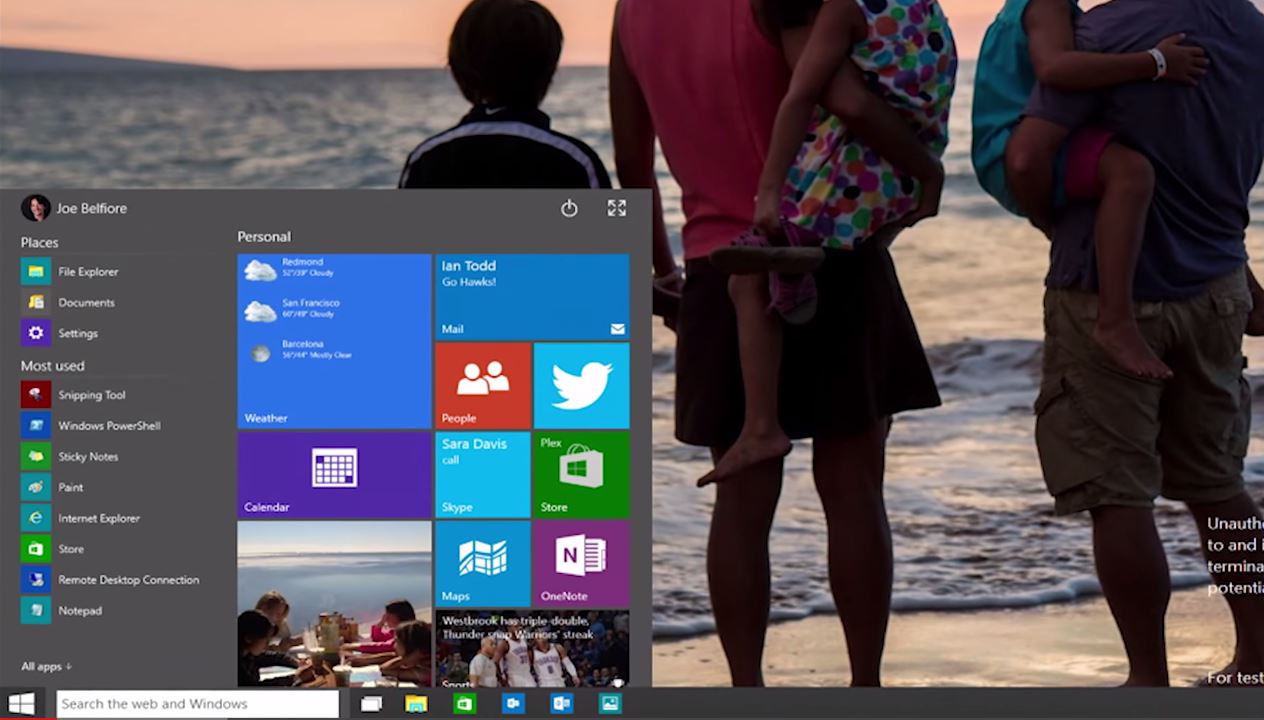
The Start menu has been with Windows users since Windows 95 and provides users with quick and easy access to apps and settings that Windows OS has. But as Microsoft released Windows 8, the Start menu that we used to loved seems to have disappeared and has been replaced with a large, full screen layout of the Start screen which received mixed criticism among users. With Windows 10, Microsoft will be bringing back the two decade old feature of Windows to the table complete with new features and the integration of Live tiles that we have with Windows 8. For an even rich user experience, the Start menu on Windows 10 can be re-sized at user’s request, with a click of a button, the Start menu can be expanded into full screen mode which look more like the Start screen on Windows 8 or otherwise for that matter. It also has a new feature call Continuum that is specifically designed for convertible machines which switch user’s input automatically from mouse and keyboard to touch screen.
Cortana

Microsoft has a digital assistant named Cortana which has been with users of Windows Phones equipped with Windows Phone 8.1. Its proven usefulness has opened new possibilities for the Desktop designed operating system. Cortana will be hardly integrated into the new Windows 10 OS and sits just beside the Start menu button on the Taskbar, it listen to users queries either though the users voice or typed on the prompt. Cortana would answer all queries including searching of files and folders across the system including those stored on OneDrive cloud storage. Microsoft’s digital assistant in also integrated into a number of apps including Maps and even with the new internet browser that Windows 10 is expected to include.
New Web Browser : Spartan

Earlier, we mentioned Windows 10 would be shipping with an all new web browser, in fact, a number of leaked has already been made a few weeks prior to Microsoft’s special event in January 21st. Microsoft just announced the new browser officially under development that would replace the veteran Internet Explorer web browser. Unlike Internet Explorer however, Spartan will feature a cleaner and sleeker look. It comes with features such a note taking feature which allows users to make annotations all over the screen, save them on OneNote and share them through cloud storage OneDrive, Reading mode that saves webpages into a book format which users can later view. This is also one of the new apps that comes with Cortana integration which supervises all search queries and automatically suggests contents depending on user’s common search terms.
Windows 10 on a Phone
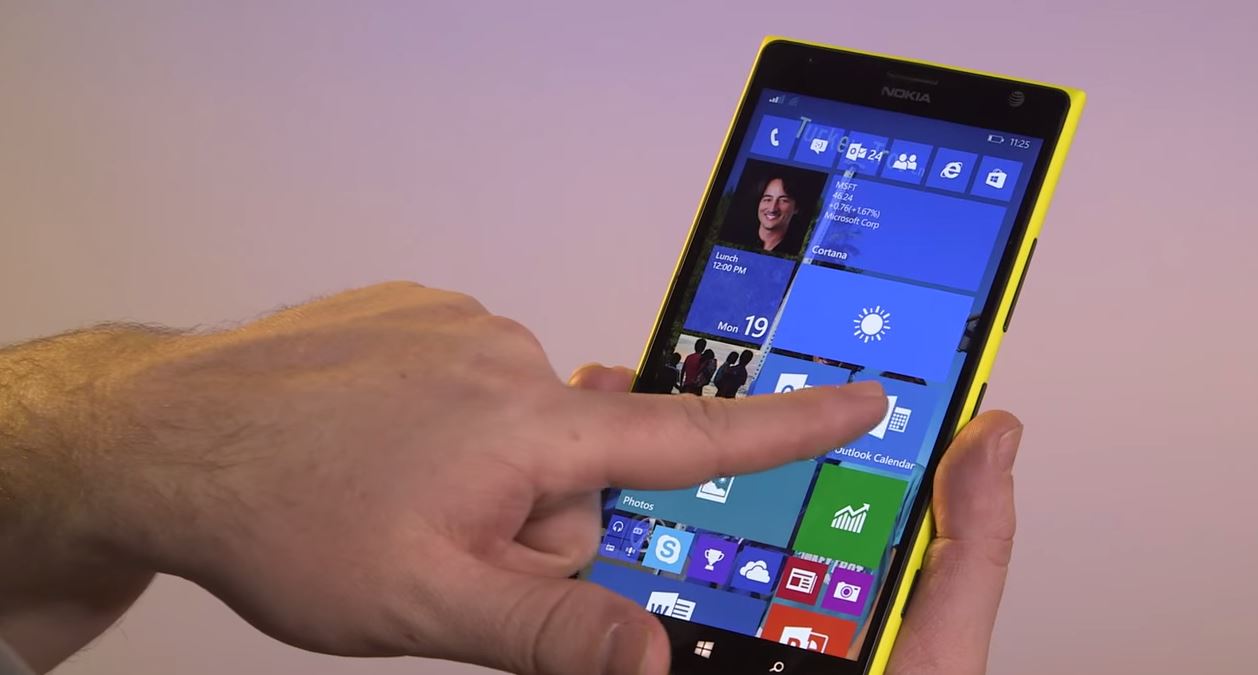
With Windows 10, Microsoft is even more expanding its OS into mobile devices which further allow apps to be more interoperable and more diverse across different platforms. This feature will allow application publishers to create an app that is compatible across a range of devices. This feature has also allow Microsoft to create a new universal apps that runs on different devices including Desktops, Laptops, Tablets and Phones.
Xbox on the Desktop

Windows 10 operating systems comes with an app that access most of your Xbox features including messaging, games review, news feeds and friends lists and chat with them on Xbox live. One of the coolest feature of the Xbox app on Windows 10 it that users stream their games from the Xbox console to the their PC allowing them to play Xbox games from their Xbox console using the display and any available game controllers on the PC.
There are still a lot of things that Microsoft plans to include with the release of Windows 10 later this year, they aim to provide the most complete version of Windows yet to users and allows them to upgrade their Windows devices including PC’s, tablets and phones to upgrade to Windows 10 for free for within the first year of release of the operating system.
Discover more from onetechavenue
Subscribe to get the latest posts sent to your email.