
Microsoft introduces Windows 10: Start Menu, Windowed Modern UI apps, Virtual Desktops
a Windows 7 and Windows 8 in One
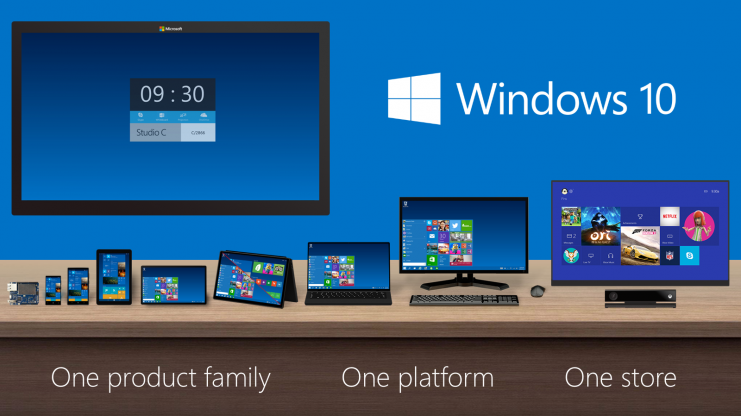
Earlier this week has been exciting for Microsoft as they unveiled their next version of Windows to a 50 of so participant and journalist in a closed-door event. Microsoft is going back to its roots in bringing out the its latest Windows version. One of the things that journalist have anticipated is what Microsoft would call its latest operating system. The company also said to have followed a number of rumors and early reports that points to the new OS. But despite all information and speculations coming from both the media and netizens, Microsoft surprised the people who joined and watch the event as the company formally announced the new Windows operating system as Windows 10.
Many have wondered why the company skipped a number in naming its new OS, I has been a tradition for Microsoft to name its OS in chronological order but this time they have something more in mind not just my naming an OS. Windows 10 according to Microsoft is the company’s significant step toward a new generation of a unified system of the product. Microsoft dubbed its upcoming Operating System as “the most comprehensive platform ever” where it will be embedded to every system from “internet of things” to enterprise servers, corporate and home personal computers. From the smallest devices where Windows can drive with to the large displayed and complex PC’s, Microsoft would be confident enough to bring its OS to any device available while bringing the best Windows experience to every form factor that the user may be using.
On stage, Microsoft’s Joe Belfiore showed off an early build of Windows 10 which have confirmed early leaks from a few months ago. Belfiore confirms the coming back of the Start Menu which went missing with Windows 8 that most Windows users have complained. But with Windows 10, Microsoft will be reintroducing the same familiarity of Windows 7 while bringing in the functionality introduced in Windows 8.
With Windows 10, desktop user will be taken directly to the familiar Windows desktop when they turn the PC on and when they press the Windows key or the button perhaps on the desktop, the beloved Start Menu will pop-up instead of the start screen that we currently have on Windows 8, traces of Modern UI on the desktop is nowhere to be found at this point at least. The Start Menu comprises of the familiar Windows 7 Start Menu setup with the Live Tiles embedded to it on the right side of the Start Menu. Users can still do the same things to these Live tiles as they normally do with Windows 8, from resizing, moving and pinning Live tiles to the Start Menu. The Start Menu can also be resized as well and Microsoft even said that the Start Menu can be expanded well beyond the user’s screen so users can then scroll through the line-up of apps and tiles.
Windows 10 also supports virtual desktop and has added a feature that Microsoft currently calls it as the “Task View” option on the taskbar where users can view all apps running on the current desktop with live previews. Task View also comes with a small thumbnails below the screen where users can switch between desktop that they may want to view. Currently the snap-in features supports two different Windows apps running side-by-side on the screen, with Windows 10, users will be able to snap-in four apps on the current screen which further improves its functionality and productivity. This feature fits best with large and high-resolution display where users can view four simultaneous apps in one screen.
Belfiore also demoed an update feature to the command line window, many users have been working out on ways how to work between the command line window and the Windows apps. Now users will be able to copy and paste items from the command line as well as use keyboard shortcuts, Microsoft admitted that this isn’t an exciting news but users who uses the command line will find this new functionality to be useful.
Windows 10 will also support Modern UI apps on the desktop, the way Modern UI apps works with Windows 8 would also be the case in Windows 10. Desktop users can still download and install apps from Windows Store and run them on the desktop just like a normal Windows App. The Charms Bar is still there but Belfiore mentioned that there will be changes on how it will appear on Windows 10, With the early preview, the Charms Bar still looks the same as with Windows 8.
Microsoft haven’t talked more about the Modern UI during the event, instead Belfiore showed a short video that demoed how Windows 10 switches between modes depending on the peripherals attached to the system. On a Surface device for example, while on a full desktop view, when the keyboard is detached, Windows will ask if the user wants to stay on the desktop mode or switch to tablet mode, choosing the tablet mode will bring the familiar Windows 8 experience but unlike windows 8, Windows 10 Start Screen is more like an enlarged Start Menu that has gone full screen. Also the taskbar adds a back button while on tablet mode with Modern UI apps goes full screen instead of windowed view from the Desktop mode.
-
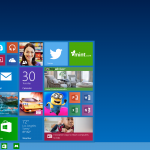
- Start Menu come back
-

- Apps in a window
-
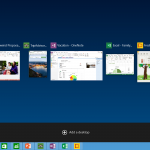
- New task view
-
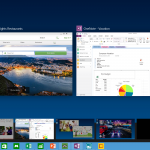
- Desktop switcher
-

- multi-window snap-in
Microsoft has been careful in showcasing the new Windows 10 from the platform to the apps, Microsoft indeed is taking feedbacks seriously and is considering to bring back old features and add new ones which the company finds appropriate. The Technical Preview is now up which gives and in-depth look on what to come and prepare developers to test their apps for compatibility with Windows 10. The company will also update its progress on 2015 Build conference something on Spring 2015. Customers will have to wait until the later part of next year when the new OS will be launch by Microsoft.
Related articles
 Windows 10 revealed: Microsoft’s next OS fuses Windows 7 and 8(pcworld.com)
 Microsoft Unveils Windows 10 With Revamped Start Menu(laptopmag.com)
 Windows 10 is the official name for Microsoft’s next version of Windows(theverge.com)
 Microsoft reveals Windows 10… no, really(pcpro.co.uk)
 12 things to know about Windows 10(techworld.com.au)
 Windows 10 Full Details: Start Menu, Multiple Desktops, Windowed Metro Apps(spd.rss.ac)
Discover more from onetechavenue
Subscribe to get the latest posts sent to your email.