
Microsoft Makes Windows 11 Faster With Less RAM and Revamps Photos App
 Microsoft
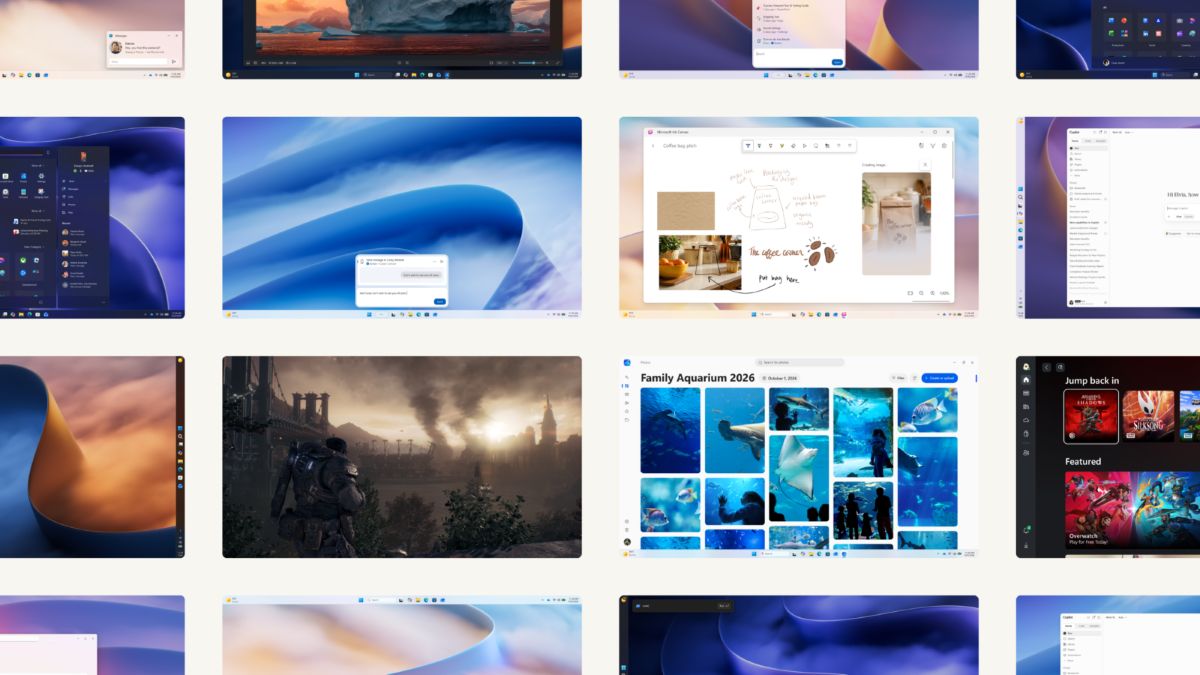
Microsoft is improving Windows 11’s performance and memory efficiency while introducing a redesigned Photos app, smarter Search, better phone connectivity, and other changes aimed at making everyday computing smoother.
Windows 11 gets a performance boost
Microsoft says Windows 11 is now up to 20% more responsive following improvements across the operating system. The changes target everyday experiences such as Start, File Explorer, Search, Snipping Tool, and commonly used applications.
A major focus is memory management. Microsoft says Windows can keep up to 2GB more active data in memory on certain configurations instead of moving it to slower storage, helping PCs remain responsive as users open more applications and browser tabs.
Computers with 8GB of RAM or less could also benefit from reduced background memory use. Widgets now load only when opened on these devices, freeing up more than 200MB of memory for other tasks.
These improvements could be particularly useful for budget laptops and everyday PCs with limited memory. However, actual performance gains will vary depending on the device, configuration, and workload.
Search becomes more useful
Microsoft is expanding Windows Search beyond finding files, applications, and settings. The new experience introduces actions that let users perform certain tasks directly from search results.

For example, searching for settings such as Dark Mode or Night Light can let users make changes without navigating through multiple Settings menus. Search can also help manage open windows, with more capabilities planned.
The redesigned Search experience is initially available to Windows Insiders, with broader availability planned later. Not every Windows 11 user will see the new interface immediately.
Better connections between phones and PCs
Microsoft is also expanding Windows 11’s integration with smartphones. Users can access phone notifications and messages from their PC, respond to conversations, and manage certain phone controls without constantly switching devices.
Supported Android phones offer additional integration, including opening phone apps in separate desktop windows and browsing phone files through File Explorer. Users can also receive notifications on their PC when a new phone photo is available.
The available features depend on the phone, operating system, and compatibility. Still, the improvements could make Windows more convenient for people who regularly move between their phone and computer.
The Photos app gets a major redesign
Microsoft is introducing a revamped Photos app with a new Gallery, a rebuilt editor, and a redesigned image viewer. The changes are intended to make it easier to organize pictures, find specific memories, and edit images without installing a separate application.
The new Gallery brings photos and videos from a PC, OneDrive, and Apple iCloud into one place. Users can browse collections, organize albums, filter photos, and search using natural-language descriptions such as “a family picnic by the lake.”
The app also includes a People feature for finding pictures of specific individuals, along with tools for organizing and sharing favorite photos. Some features, including Moments, depend on OneDrive.
More editing and retouching tools
The redesigned editor organizes its tools into four categories: Crop, Enhance, Repair, and Stylize. Microsoft says the editor launches 25% faster, making it quicker to open a picture and start working on it.
Repair tools let users remove unwanted objects from photos by brushing over or circling them. Relight provides more control over lighting after a picture has been taken, with up to three adjustable light sources, color and brightness controls, and presets such as golden hour.
The editor also supports HDR photo editing while preserving HDR information, as well as editing and saving HEIC and WebP images in their original formats. New social-media crop templates make preparing pictures for sharing easier.
The redesigned viewer opens images faster and provides a cleaner interface with more room for the photo itself. Microsoft reports improvements of up to 30% for HEIC images, alongside expanded file-type support that includes SVG.
Gaming and personalization also improve
For PC gamers, Microsoft is expanding Advanced Shader Delivery, a technology designed to reduce initial loading times by providing precompiled shaders for supported games. Titles such as Forza Horizon 6 and Gears of War: E-Day are among the games Microsoft has highlighted.
Windows 11 is also gaining more personalization options, including additional Start menu controls and the ability to reposition the taskbar. Microsoft says it is improving Windows Update controls to give users more flexibility over update timing and reduce unnecessary restarts.
Other changes target everyday reliability. Bluetooth devices should pair and reconnect more smoothly, while Windows Hello face and fingerprint recognition are receiving improvements to make sign-in faster and more dependable.
Accessibility gets attention, too
Microsoft is adding more options for making Windows comfortable and accessible. Screen Tint lets users apply adjustable color overlays, while Magnifier gains better support for different zoom levels across multiple displays.
Narrator, Windows’ built-in screen reader, is receiving improvements for reading mathematical expressions and navigating information in applications such as Outlook and Excel. Support for compatible braille displays during initial Windows setup also aims to make configuring a new PC more accessible.
Together, these additions give users more ways to adapt Windows to their needs, whether they are working, studying, creating, or simply using a PC every day.
When will users get the updates?
Microsoft announced the improvements on October 15, 2026, and says the updated experiences are beginning to roll out, with more availability planned later in the year. Some features are initially limited to Windows Insiders, while others may require compatible hardware, software, or connected services.
The announcement covers several distinct improvements rather than one single update that immediately delivers every feature to every PC. Availability and performance will vary by device and rollout stage.
For users, the overall direction is clear: Microsoft is working to make Windows 11 more responsive, use memory more efficiently, improve built-in tools, and make everyday tasks less disruptive. The revamped Photos app adds a useful creative upgrade to that broader effort, while the performance changes could be especially welcome for PCs with limited RAM.
Discover more from onetechavenue
Subscribe to get the latest posts sent to your email.