
 Apple
Apple
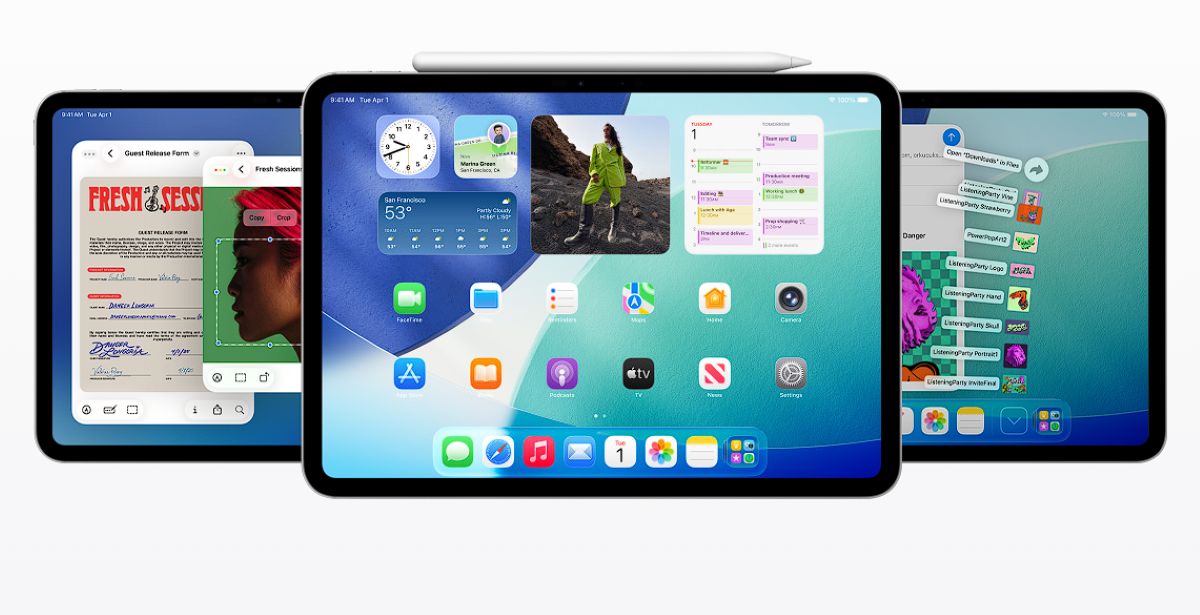
The Apple iPad has long been a major player in the tablet market—and with the introduction of iPadOS 26 and its all-new Liquid Glass design, Apple is redefining what the iPad can do. The update delivers a dramatically more powerful experience, bringing macOS-style multitasking, refreshed visuals, and front-and-center AI capabilities.

When the iPad first launched, it functioned like an oversized iPhone. But over time, it evolved—and with iPadOS 26, multitasking takes a huge leap forward. You’re no longer limited to just two apps side by side. Now, you can open multiple apps at once, minimize or maximize them, overlap windows, or rearrange everything with a simple flick just like on a Mac.
To help manage it all, iPadOS 26 borrows macOS’s Exposé, allowing you to view all open windows in a spread-out view. Tapping any window instantly shifts focus to that app. There’s also Stage Manager, which organizes your windows into distinct workspaces (“stages”) and supports both internal and external displays for enhanced productivity.

Mac-Style Interface Comes to iPad
With this update, iPad apps now feature a menu bar, just like macOS. You can reveal it by swiping down or by moving the pointer to the top of the screen. In addition, app windows now include familiar macOS-style controls with close, minimize, and resize located in the top corners for a more desktop-like experience.

Smarter Multitasking with Background Tasks
A key addition in iPadOS 26 is improved Background Tasks. Apps that run longer processes—like rendering, exporting, or syncing—can now appear in Live Activities, allowing you to monitor their progress while doing other things on your iPad.

Files App Gets a Big Upgrade
The Files app receives a major redesign in iPadOS 26. A new List View displays more file information at a glance. Folders are now customizable with colors, icons, and even emojis—perfect for organizing files your way. Plus, folders can be placed right on the Dock for easier access.

Power and Simplicity, Balanced
iPadOS 26 transforms the iPad into a powerhouse for productivity while maintaining the simplicity users love. Along with the core updates mentioned above, there are additional features like:
- Live Text translation in Messages
- Live translation captions during FaceTime calls
- Spoken translation directly from the Phone app
Availability
iPadOS 26 is available today for Apple Developer Program members, with the public beta launching next month.

Note: iPadOS 26 will be available on the following devices:
- iPad Pro (M4)
- iPad Pro 12.9‑inch (3rd generation and later)
- iPad Pro 11‑inch (1st generation and later)
- iPad Air (M3 and M2)
- iPad Air (3rd generation and later)
- iPad (A16)
- iPad (8th generation and later)
- iPad mini (A17 Pro)
- iPad mini (5th generation and later)
Discover more from onetechavenue
Subscribe to get the latest posts sent to your email.