
Google Photos updates with new logo, Photo map search

Since I’ve use Google Photos more often after moving to Android One, I start to embrace its simplicity and effectiveness to keep my photos organize and beginning today, Google will make the app more simpler to use as major update starts to roll out to users.
Just recently, Google redesigned the app icon for Google Photos to match its flatter material design, this makes the new icon in tune with other updated Google services.

Besides the new icon, Google also updates the User Interface inside the app and that it now features three main tabs instead of four from its predecessor: Photos, Search and Library.
The Photos tab now has a larger thumbnails by default but you could still change them as you preferred and has less space between photos and videos are auto-playing as well.
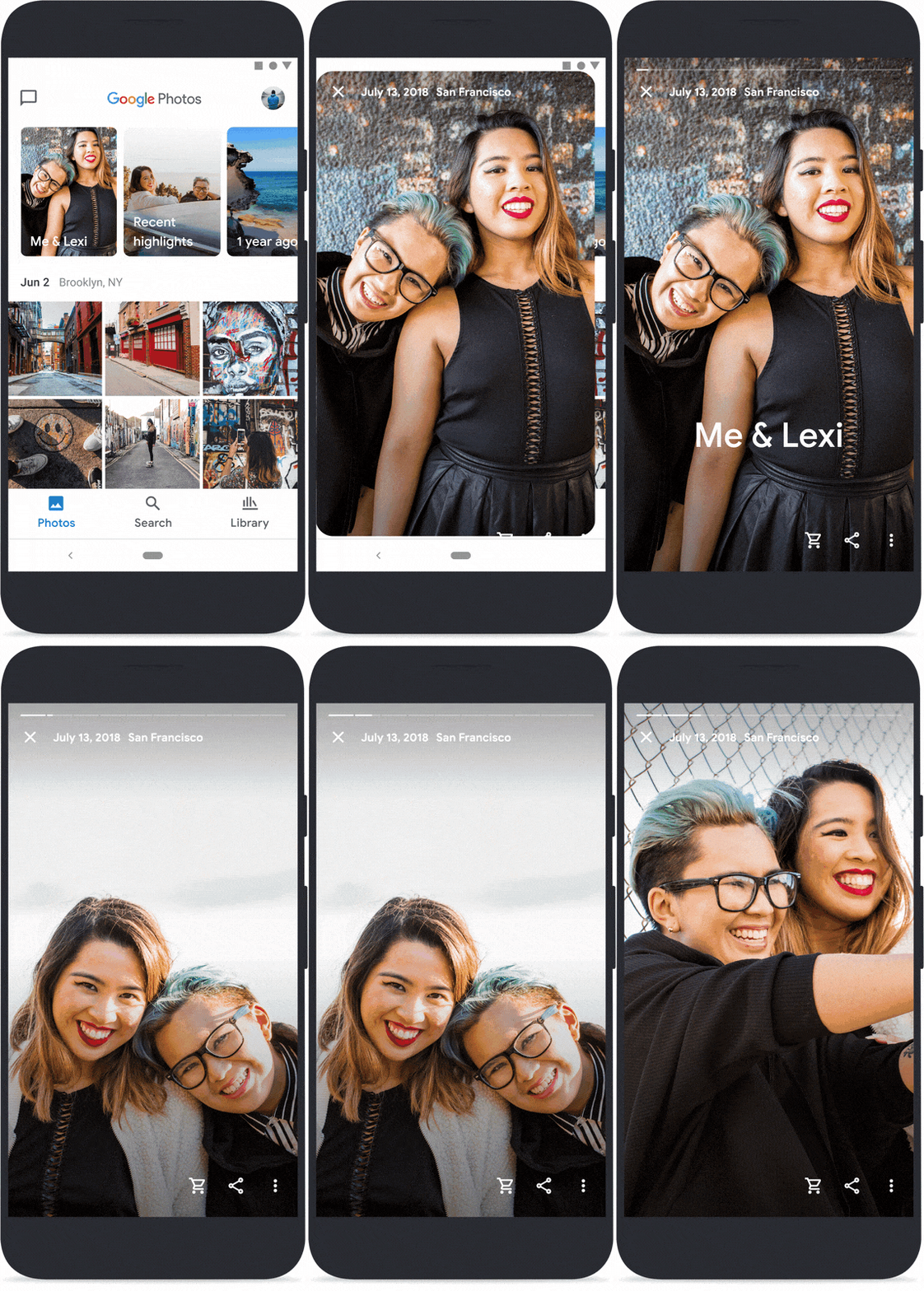
Up top, there’s a Memories carousel which shows you more memories from your photos such as memories from your family, friends, trips and recent happens that’s memorable to you. In addition to that, you can also customize which ones you’d like to see from your Memories including people or time periods.

The Search tab now comes with an interactive map to find memories. You can search for photos by pinching and zooming through the map or watch the map move as you scroll from your photos. This will make it easy for you to identify where your photos are shot from with the help of image location information. Regarding geo-locations for photos, Google reminds you that can remove data location, disable location history or permit cameras from saving your location from your photos and videos.
Library tab, here you’ll find your Albums, Archives, Favorites, Trash and Print Store – a location dependent service where you can order prints of your photos.
The new Google Photos is now rolling out to users both for Android and iOS users. The update should be on the fly if you’ve enabled your device to update apps automatically or if not, you can manually check for the update on Google Play for Android and App Store for iOS.
Discover more from onetechavenue
Subscribe to get the latest posts sent to your email.